 AthleticsArc
Tackle football
FootballArc
 View larger
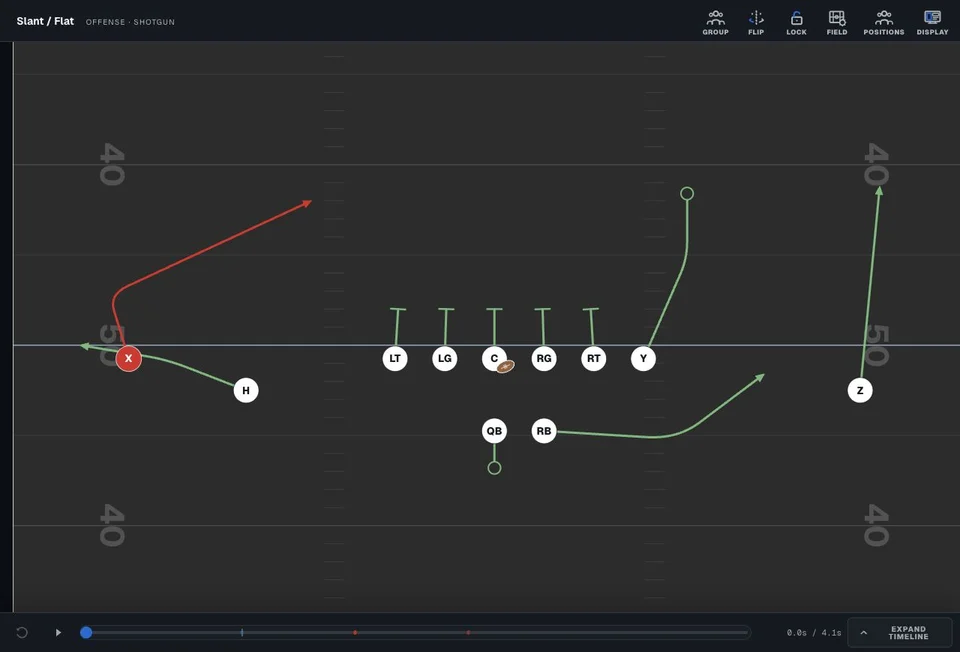
 Draw routes, motion and defensive assignments. Use playback to explain how the play develops.
Save your plays. Make a separate copy to try a variation without changing the original.
Explore FootballArcAthleticsArc
Use AthleticsArc to draw and save plays, plan practices, and share team updates with staff and families. FootballArc supports tackle football, and FlagArc supports flag football.
Try the FootballArc Play DesignerYou can try the tackle football Play Designer without creating an account.
Explore coaching tools for your sport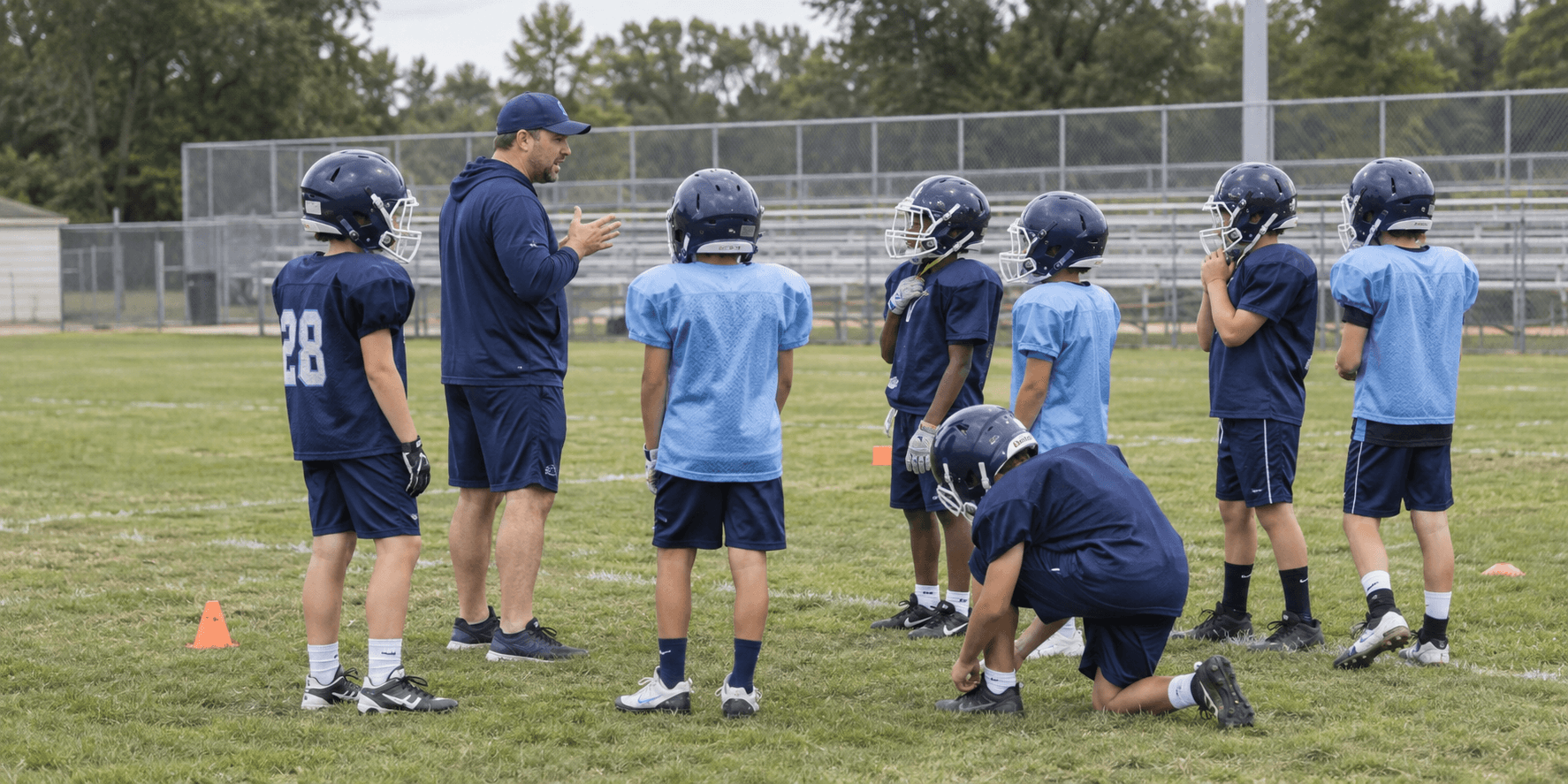
Available through AthleticsArc
Use the same AthleticsArc account across sports, with a separate space for each team.
Tackle football
View larger Draw routes, motion and defensive assignments. Use playback to explain how the play develops.
Save your plays. Make a separate copy to try a variation without changing the original.
Explore FootballArcFlag football
 View larger
 Build formations and plays for your team’s player count. Review movement and ball exchanges in playback.
Print your diagrams and organize starters and backups by formation. Printing: paid plans. Depth charts: Pro or Team.
Explore FlagArcBasketball
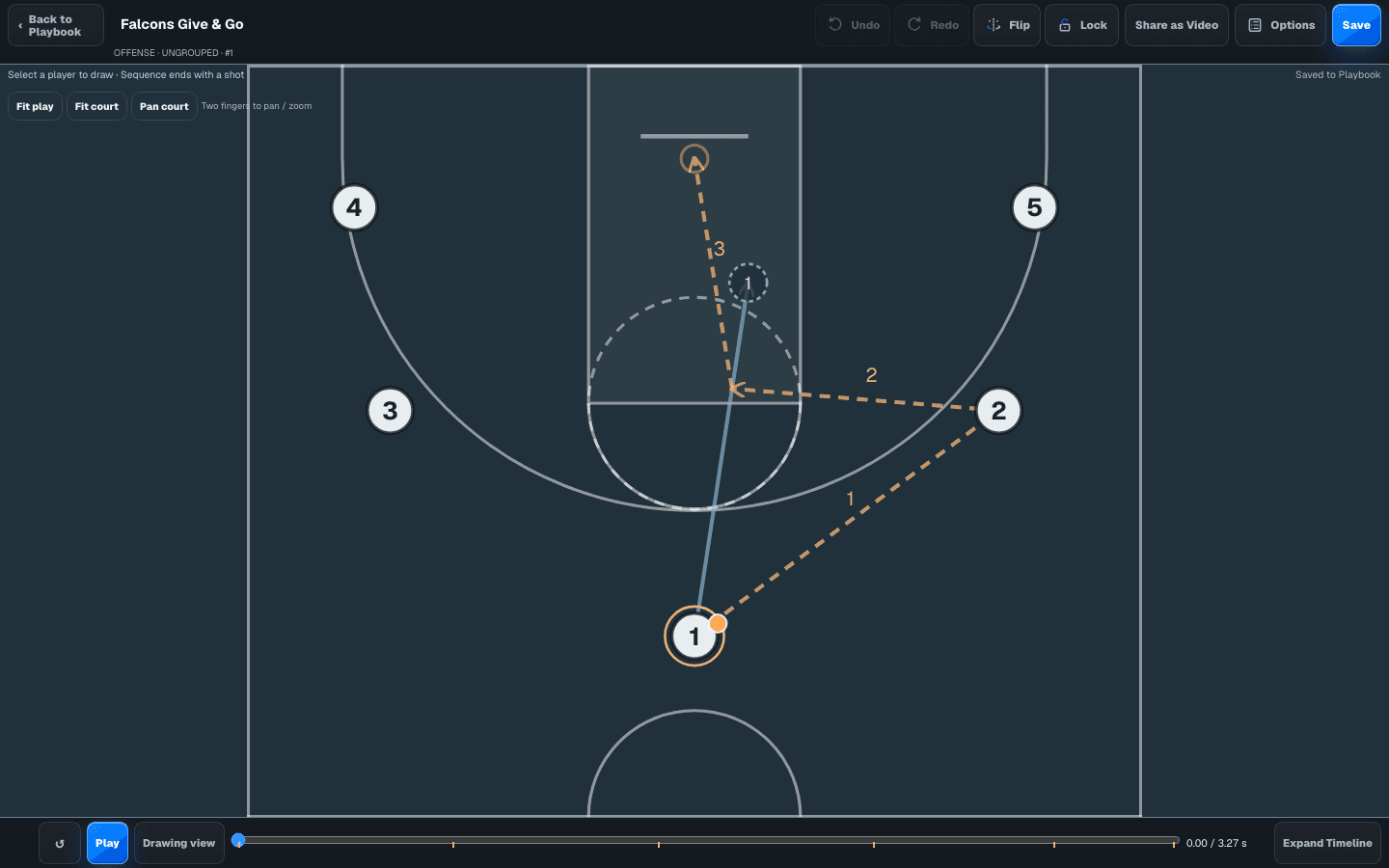
Draw cuts, screens and passes. Teach your plays with 2D playback and organize your five-player lineups.
Web Playbooks and Team tools. Review trial availability and paid licenses in Account.
Explore BasketballArcSoccer
Design movement for 4v4 through 11v11. Teach with 2D and schematic 3D playback, and prepare activities for your next practice.
Web Playbooks, Practice and Team tools. Review evaluation availability and paid licenses in Account.
Explore SoccerArcEach license covers one team in one sport. Choose Basic, Pro or Team for the tools and staff access you need.
Manage licensesPlaybooks & printed material
Organize your saved plays into a playbook, then print the pages you need for practice or a game. FootballArc also includes layouts for wristband inserts and call sheets.
Printing included with paid plans
 View library
 Find saved plays by formation. When you want to change a play, make a separate copy so the original stays available.
Explore FootballArc playbooks

Actual product captures and printed output. All plays shown are demonstration content, not reviewed coaching instruction. Select an image for a closer look.
Practice planning
Set a start time and duration for each activity, choose the players or groups taking part, and assign a coach. The timeline shows which groups are working at the same time.
Available with Pro or Team
 Explore the timeline
Set activity lengths and run different groups at the same time.
Add activity notes and assign coaches so responsibilities are clear.
Actual FootballArc captures with demonstration data. Screen and print show separate examples; neither is a reviewed teaching resource.
Team preparation & communication
Staff can work on team preparation together. Parents and guardians see the events, updates and resources your team publishes for them.

For coaches
Arrange depth charts and personnel packages. With Team, share a saved play in Coaches Room for staff discussion.
Depth & personnel: Pro or Team.
Staff collaboration: Team.

For parents & guardians
Accept your coach’s private invitation. View published events, updates and resources, and respond to attendance requests.
No coaching trial needed. If you also coach, use the same account. Locker Room publishing requires Pro or Team.
Sign in to AthleticsArcWhy AthleticsArc exists
Many youth coaches are volunteers who are learning as they go. Preparing practices and organizing a team can take a lot of time, especially when there’s little support available.
AthleticsArc brings those tasks into one place. Over time, we also want to help experienced coaches share their knowledge with coaches who are just getting started.
What we’re building toward
We’d like to work with experienced coaches on resources that explain who they’re for, who wrote them and who reviewed them.
This resource library is not available yet. Coaches interested in contributing can contact us to discuss it.
Express interest in contributingFeedback from coaches
We’d like to hear whether AthleticsArc would be useful for your team.
If you’ve had a chance to look around, let us know what you’d use, what’s missing, or anything that was difficult to understand. You don’t need an account or a paid plan to give feedback.
Share your feedbackEmail [email protected]. If you received an introduction email, you can also reply directly.
Plans, access & invitations
Yes. The FootballArc working demo lets you explore the Play Designer without an account.
No. Printing requires a paid plan. Practice planning, depth charts, personnel packages and Locker Room are available with Pro or Team. Staff collaboration is available with Team. Each AthleticsArc license covers one team in one sport.
Ask your coach for a private guardian invitation. Family access does not require starting a coaching trial. You’ll see the information your team’s staff have published.
No. The examples on this page demonstrate what the software can create. An experienced-coach resource library is a future direction, not a current offering.
The public FootballArc demo lets you move players, draw assignments and try playback without creating an account.